
Your ToolLogix bill is simple: a flat base rate, plus a small per-user charge above what's included.
How pricing works- Base plan: $100/month, which includes your first 5 users and 1 shop.
- Extra users: $5/month per user beyond the first 5.
- Annual billing saves 15% compared to paying monthly.
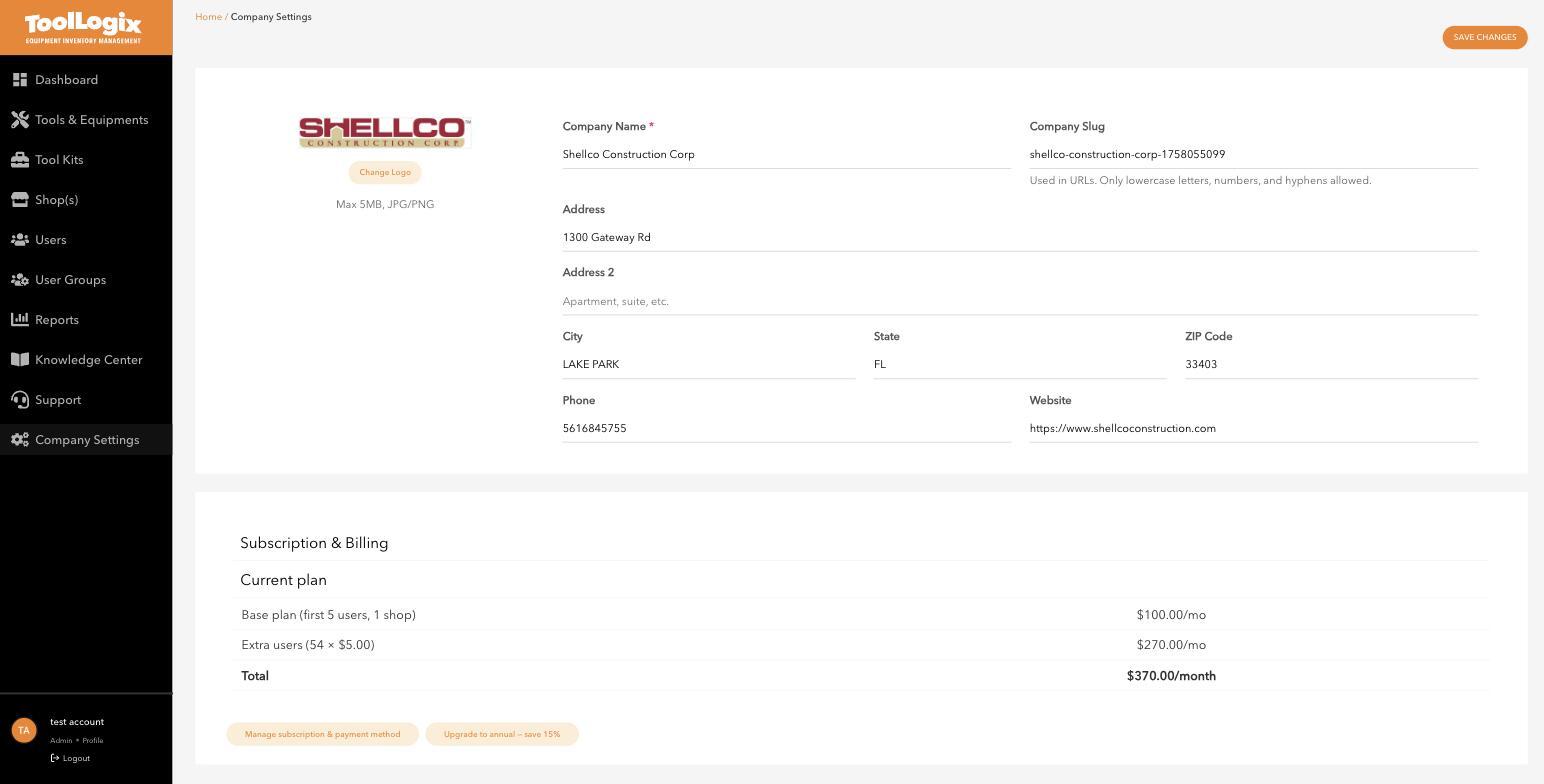
As a worked example: an account with 59 total users is 54 users over the base 5, so the bill breaks down as $100 base + (54 × $5) = $270, for a total of $370/month. Your own total will scale with however many users you actually have.
Check or change your plan- In the left menu, open Company Settings.
- Scroll to Subscription & Billing to see your current plan and monthly total.
- Click Manage subscription & payment method to update your card or billing details.
- Click Upgrade to annual - save 15% if you'd rather pay yearly.
Every user you add past your first 5 adds $5/month to your bill automatically - there's no separate approval step. If you bulk-added a crew and your invoice looks different than expected, this is almost always why. Deactivating a user (see Deactivating vs. deleting a user, article not yet published) does not reduce the extra-user charge by itself - check this page after any headcount change if you want to confirm the new total.
If something goes wrongMy bill went up and I don't know why. Check your total user count against the 5 included in the base plan - most surprises come from users added via Bulk Add that weren't accounted for.
I want to switch to annual billing. Click Upgrade to annual - save 15% on the Company Settings page; this is not something you need Support to do for you.
Still stuck? Open Support in the left menu of the app and click Create ticket, and we'll respond within one business day.