
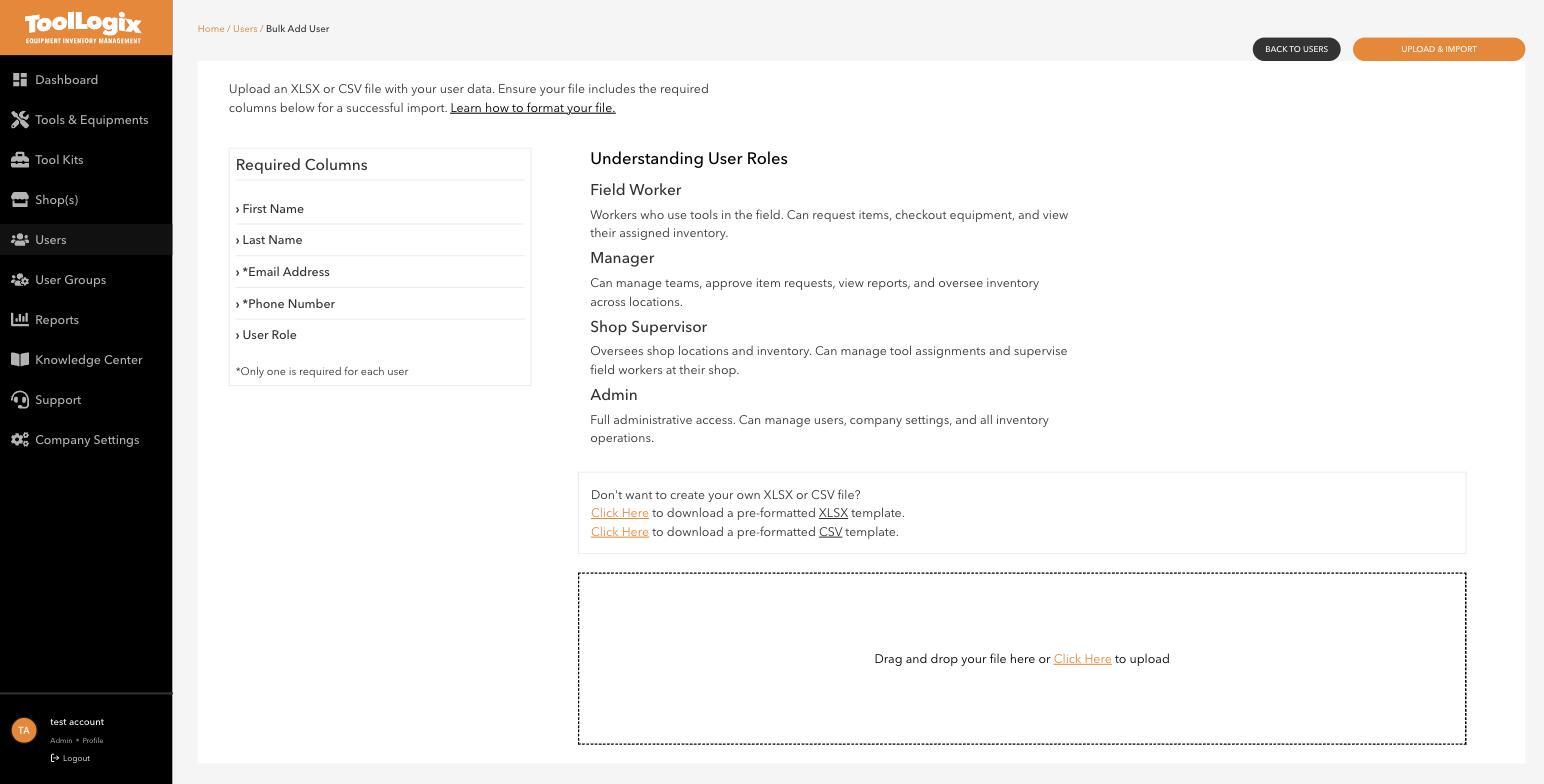
Every person in ToolLogix has one of four roles. Picking the right one keeps requests, approvals, and inventory visibility flowing the way your team actually works.
Field WorkerWorkers who use tools in the field. Can request items, checkout equipment, and view their assigned inventory.
This is the right role for most of a crew - anyone who picks up and uses gear day to day, but doesn't need to approve requests or manage other people's assignments.
ManagerCan manage teams, approve item requests, view reports, and oversee inventory across locations.
Good for someone who supervises people across more than one shop, or who needs visibility into reporting without full administrative control over company settings.
Shop SupervisorOversees shop locations and inventory. Can manage tool assignments and supervise field workers at their shop.
Scoped to a specific shop rather than the whole company - useful when one person runs day-to-day inventory at a single location.
AdminFull administrative access. Can manage users, company settings, and all inventory operations.
Reserve this for whoever actually runs the ToolLogix account - billing, company settings, and every user's access all sit behind this role.
The Users list shows each person's current role next to their name, along with whether they're Active and when they were last seen in the app - useful for spotting an account that should probably be deactivated.
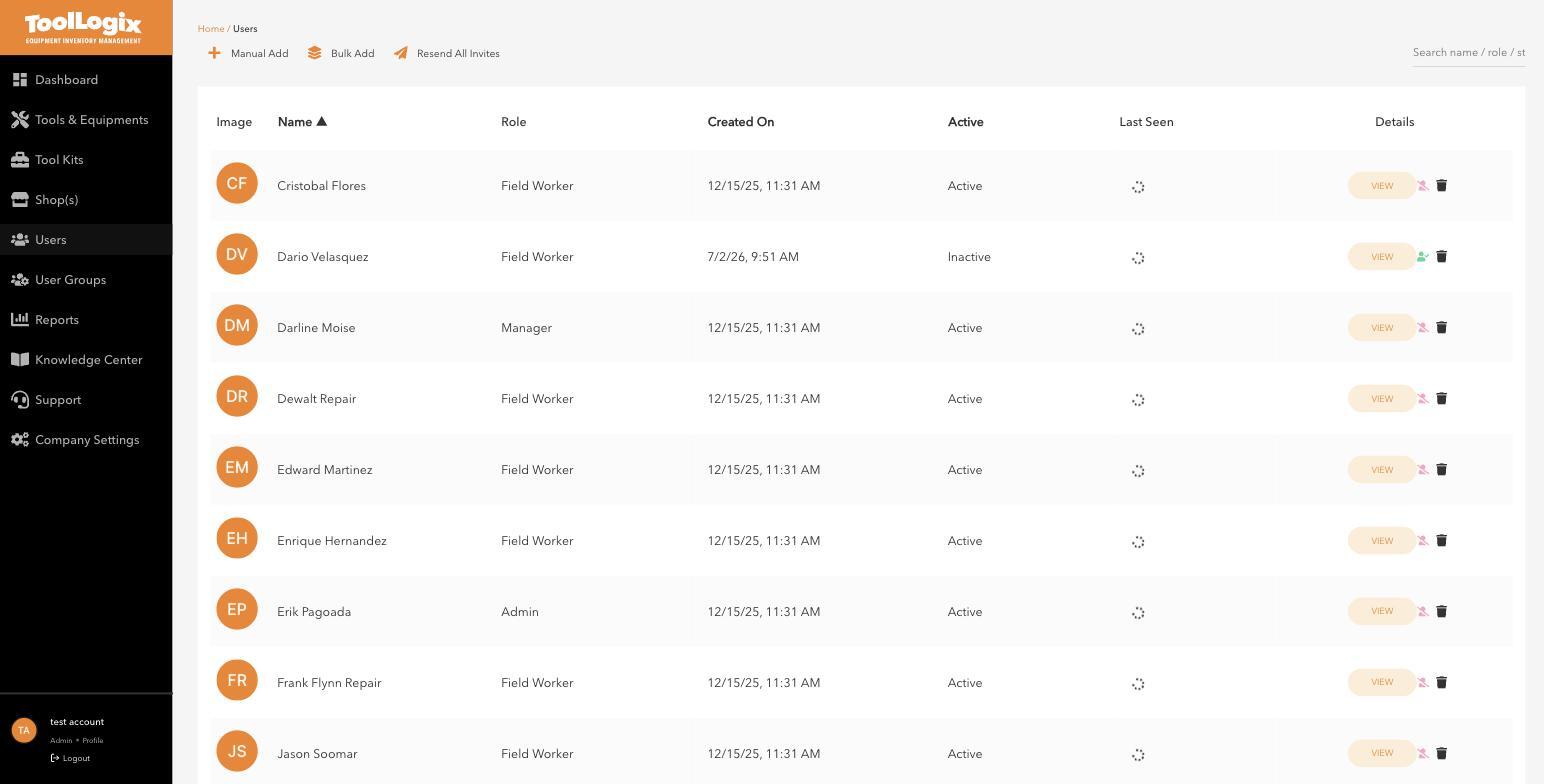
Open the person's record from the Users list and update their role there - you don't need to remove and re-add them.
If something goes wrongI'm not sure which role someone needs. Default to Field Worker for anyone who only checks tools in and out. Move them up to Manager or Shop Supervisor only if they need to approve requests or manage a location.
Manual Add doesn't let me pick Shop Supervisor or Admin. That's expected - see Adding users one at a time or in bulk; use Bulk Add's User Role column for those two roles.
Still stuck? Open Support in the left menu of the app and click Create ticket, and we'll respond within one business day.